

The One Mistake That Stops Microchips From Working (And How to Fix It Free)
Your dog is microchipped. You feel protected. But here’s the question most pet owners never ask themselves until it’s too late:
Is the contact information on that chip still correct? Update Dog Microchip Contact Information Free
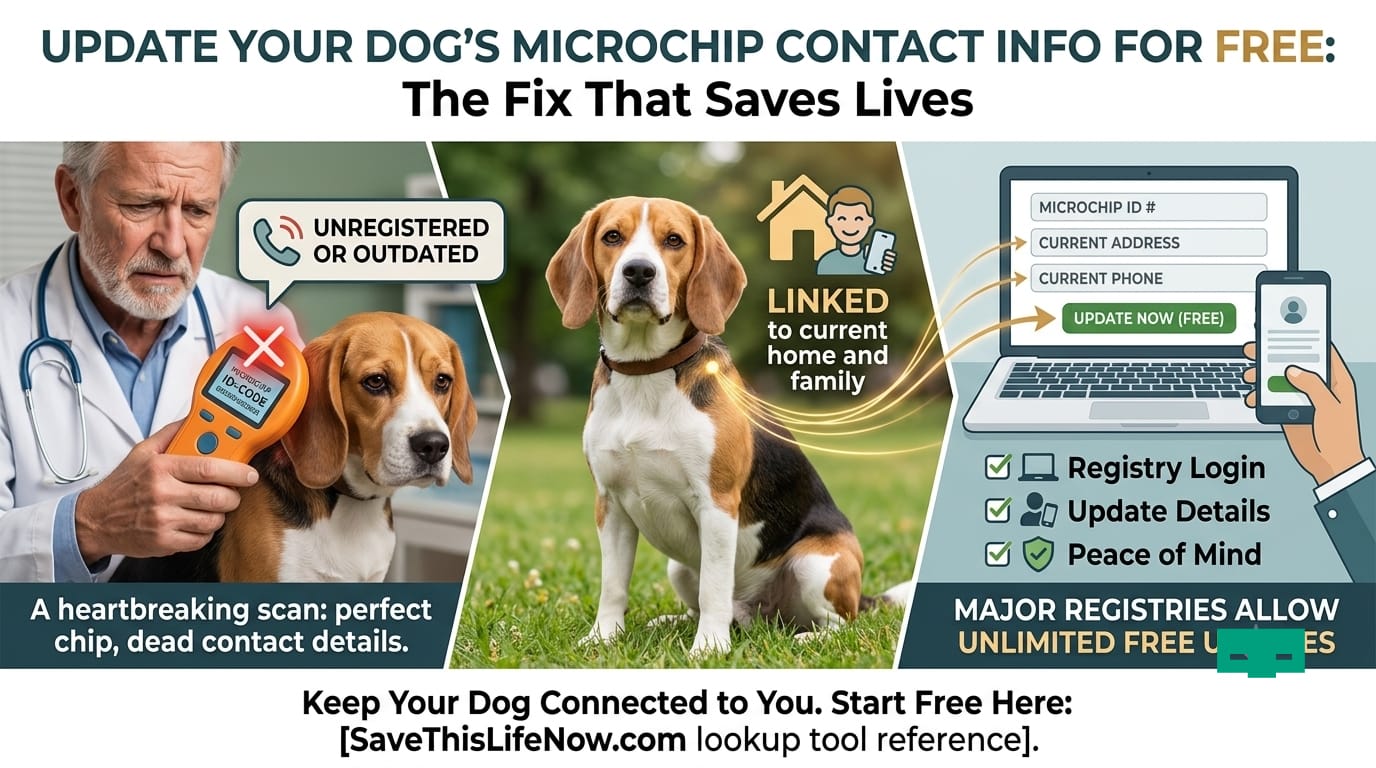
If you’ve moved, changed your phone number, switched emails, or adopted a dog from a rescue, there is a very real chance that a shelter scanning your lost dog right now would reach a dead end. The microchip would fire — and go nowhere.
This is not a rare problem. The American Veterinary Medical Association reports that only about 60% of microchipped pets are actually registered, and of those registered, a significant number have outdated or disconnected contact details. Vets encounter this heartbreak regularly — chips that scan perfectly, numbers that ring to nothing.
The good news: you can update dog microchip contact information for free. Most major registries in the U.S. allow unlimited free updates once your pet is enrolled. The process takes under 10 minutes. And it could be the single most important thing you do for your dog’s safety this year.
This complete guide walks you through every step — how to find your registry, how to update your contact information for free on every major platform, what to do if you don’t know where your dog’s chip is registered, and when to update to keep your dog protected for life.
Start here: Not sure if your dog’s chip is registered or current? Use our Free Pet Microchip Lookup Tool — SaveThisLifeNow.com before reading further.
Why Updating Your Dog Microchip Contact Information Is a Matter of Life and Death
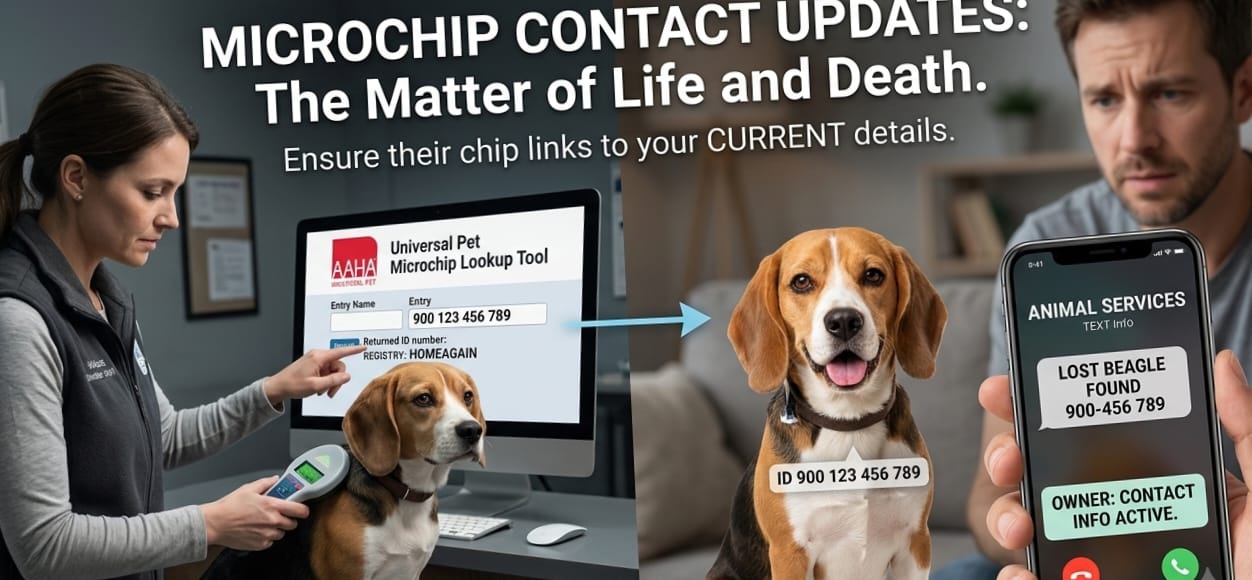
This is not an exaggeration. Every year, thousands of dogs are not reunited with their owners — not because shelters failed to scan the chip, not because the microchip stopped working, but because the phone number on file was disconnected, the address was three moves old, or the email account no longer existed.
Consider what happens from the moment a shelter scans your lost dog:
- The scanner reads a unique 9–15 digit ID number
- The staff enters that number into the AAHA Universal Pet Microchip Lookup Tool
- The tool returns the name of the registry holding the record
- The shelter contacts that registry to get the owner’s contact details
- The shelter calls, emails, or texts — and waits for a response
If that contact information is outdated, step 5 fails. The dog goes into the stray hold period. From there, outcomes vary dramatically depending on the shelter’s capacity, policy, and funding.
According to AAHA, some lost pets brought to animal hospitals have microchips that aren’t linked to their family’s contact information, or lead to a disconnected phone number — a stark contrast to the joy felt when an up-to-date microchip leads to successful reunions.
The fix is simple, free, and available right now. You just need to know where to go.
Related: What to Do Immediately When Your Dog Goes Missing — SaveThisLifeNow.com
Step 1: Find Your Dog’s Microchip Number
Before you can update dog microchip contact information for free, you need the chip number. This is the 9, 10, or 15-digit unique identifier encoded in the chip — not a serial number on a package, not your vet’s filing system number.
Where to find your dog’s microchip number:
- Original paperwork — The documentation you received when your dog was chipped (from the vet, shelter, or breeder) should include the chip number. Check your filing cabinet, email inbox, or pet records folder.
- Vet records — Call your veterinarian’s office. They recorded the chip number at implantation and can read it back to you.
- Shelter adoption papers — If you adopted your dog, the adoption paperwork almost always includes the chip number and which registry it was filed with.
- Free scan at a vet or shelter — If you can’t find the number anywhere, take your dog to any vet office, animal shelter, or major pet retailer like PetSmart or Petco. They’ll give you the company information so you can go online and update contact details such as address, phone number, and email — and there is usually no charge to do the scan.
Important: The microchip number is the only number that matters for registry lookup. Your dog’s license number, vet client ID, or tag number are all different things.
Step 2: Find Out Which Registry Holds Your Dog’s Record
Once you have the chip number, you need to find where it’s registered before you can update anything.
The fastest way: AAHA Universal Pet Microchip Lookup Tool
Go to petmicrochiplookup.org — the American Animal Hospital Association’s free universal lookup tool — and enter your dog’s chip number. The AAHA Universal Pet Microchip Lookup Tool works by checking the databases of participating pet recovery registries. Once a microchip identification number is entered, a list of all the registries with registration information available appears, along with each registry’s contact information, in chronological order with the most recently updated registry appearing first.
This single step will tell you exactly which database(s) hold your dog’s record.
Registries currently participating in AAHA lookup include:
AKC Reunite, HomeAgain, PetLink, 24PetWatch, AVID, Pawbase, Petkey, BuddyID, SmartTag, FindPet, mChip, Fi, Petkey, and dozens more. The tool has been endorsed by a broad coalition including AAHA, the American Humane Association, the ASPCA, the AVMA, and the Humane Society of the United States.
What if my registry isn’t in the AAHA tool?
Some smaller or older registries do not participate in AAHA lookup. If you enter your chip number and nothing comes up, your dog’s chip may be registered with a non-participating registry — or it may not be registered at all. In that case, jump to the section below on registering for free.
Check your chip now: Pet Microchip Lookup Tool — SaveThisLifeNow.com
Step 3: Update Dog Microchip Contact Information for Free — By Registry
Once you know which registry holds your record, updating is straightforward. Here is a registry-by-registry guide to updating your contact information for free.
AKC Reunite — Update Contact Information Free
AKC Reunite is one of the most widely used registries in the United States, with over 30 years of operation. AKC Reunite offers nationwide 24/7 lost pet protection with no annual fees and no update fees for as long as you own your pet.
How to update your contact information on AKC Reunite for free:
- Go to akcreunite.org
- Click “Online Records System” or “My Pet Records”
- Log in with your email and password (or create a free account if this is your first visit)
- Select your pet’s profile
- Navigate to “Owner Information” or “Contact Details”
- Update your name, phone number, email address, home address, and emergency contacts
- Save changes — you will receive a confirmation email
Cost to update: $0. Free for lifetime of enrollment.
Pro tip: AKC Reunite allows you to add an alternate contact — a trusted family member or friend. This dramatically increases the chance of a successful call-back if your primary number is unavailable.
HomeAgain — Update Contact Information Free
HomeAgain is the registry most commonly associated with chips implanted at veterinary clinics in the U.S. Basic lifetime enrollment includes free contact updates at any time.
How to update your contact information on HomeAgain for free:
- Go to homeagain.com
- Click “Sign In” at the top right
- Log in with your account credentials, or click “Forgot Password” to recover access
- Select your pet under “My Pets”
- Click “Edit” next to your owner or contact information
- Update all relevant fields — especially phone number and email
- Save and confirm
Cost to update: $0 for basic contact information updates.
Note on HomeAgain premium: HomeAgain offers an optional premium membership ($26.99/year) that includes rapid lost pet alerts, travel assistance, and a 24/7 medical hotline. This is completely optional — your basic registration and contact updates remain free without it.
PetLink — Update Contact Information Free
PetLink offers lifetime enrollment for a one-time fee of $29.95, with free contact information updates at any time after enrollment.
How to update your contact information on PetLink for free:
- Go to petlink.net
- Click “Login” in the navigation
- Enter your email and password
- Go to your pet’s profile
- Select “Edit Profile” or “Update My Information”
- Update all contact details and save
Cost to update: $0.
24PetWatch — Update Contact Information Free
24PetWatch is the registry commonly used by animals adopted from Humane Society locations and many other shelters across the U.S.
How to update your contact information on 24PetWatch for free:
- Go to 24petwatch.com
- Log in with your account credentials
- Access “MyPetHealth Portal” — this is 24PetWatch’s account management system
- Navigate to your contact information section
- Update your phone, email, address, and emergency contact
- Confirm and save
Cost to update: Free within account.
AVID (PETtrac) — Update Contact Information Free
AVID is one of the original microchip manufacturers in the U.S. and operates its own PETtrac database.
How to update your contact information on AVID for free:
- Go to avidid.com and navigate to PETtrac
- Log in with your account details
- Access your pet’s file and update contact information
- Save changes
Alternatively: AVID’s customer service (1-800-336-AVID) can assist with updates over the phone.
Free Pet Chip Registry — Free Registration and Updates
For owners who want a completely free, no-frills option, FreePetChipRegistry.com accepts all chip brands and charges nothing for registration, maintenance, or contact updates.
How to register or update for free:
- Go to freepetchipregistry.com
- Create or log in to your account
- Enter or update your chip number, pet information, and your contact details
- Save
Note: Confirm that this registry participates in AAHA lookup for maximum shelter visibility.
911PetChip — Completely Free, No Hidden Fees
911PetChip offers truly free registration with no fees for registration, maintenance, or contact updates — ever. It is accessible to any owner with any brand of chip.
- Go to 911petchip.com
- Register or log in
- Update your information under your pet’s profile
- Save
Compare all registries: Best Pet Microchip Registries for Dogs — SaveThisLifeNow.com
What Information Should You Update?
When you update dog microchip contact information for free, don’t just change your phone number and call it done. A thorough update gives you the best possible chance of a rapid reunion.
Here is everything you should review and update:
Owner Information
- Full legal name (current)
- Primary phone number (a mobile that is always on you — not a landline)
- Secondary phone number (spouse, partner, or trusted adult)
- Current email address (one you check regularly)
- Current home address (including apartment number and zip code)
Emergency / Alternate Contact
- Name of a trusted person who knows your dog and can respond if you’re unreachable
- Their phone number and email
Providing multiple ways to contact you helps ensure that if your missing pet is found, you can be reunited as quickly as possible. Multiple contacts also provide proof of ownership if your pet is stolen by a stranger or taken to a shelter by an angry neighbor or ex.
Pet Information
- Current photo (upload the most recent one — shelters match physical appearance)
- Current weight and age
- Any medical conditions or medications (critical if your dog needs urgent care when found)
- Vet name and phone number
What NOT to update or worry about
- The chip itself — the hardware does not need to be touched, replaced, or “recharged.” The chip is a passive RFID device with no battery. It lasts for the life of your dog.
- The chip number — this never changes. You are only updating the contact information attached to it in the database.
When Should You Update Your Dog Microchip Contact Information?
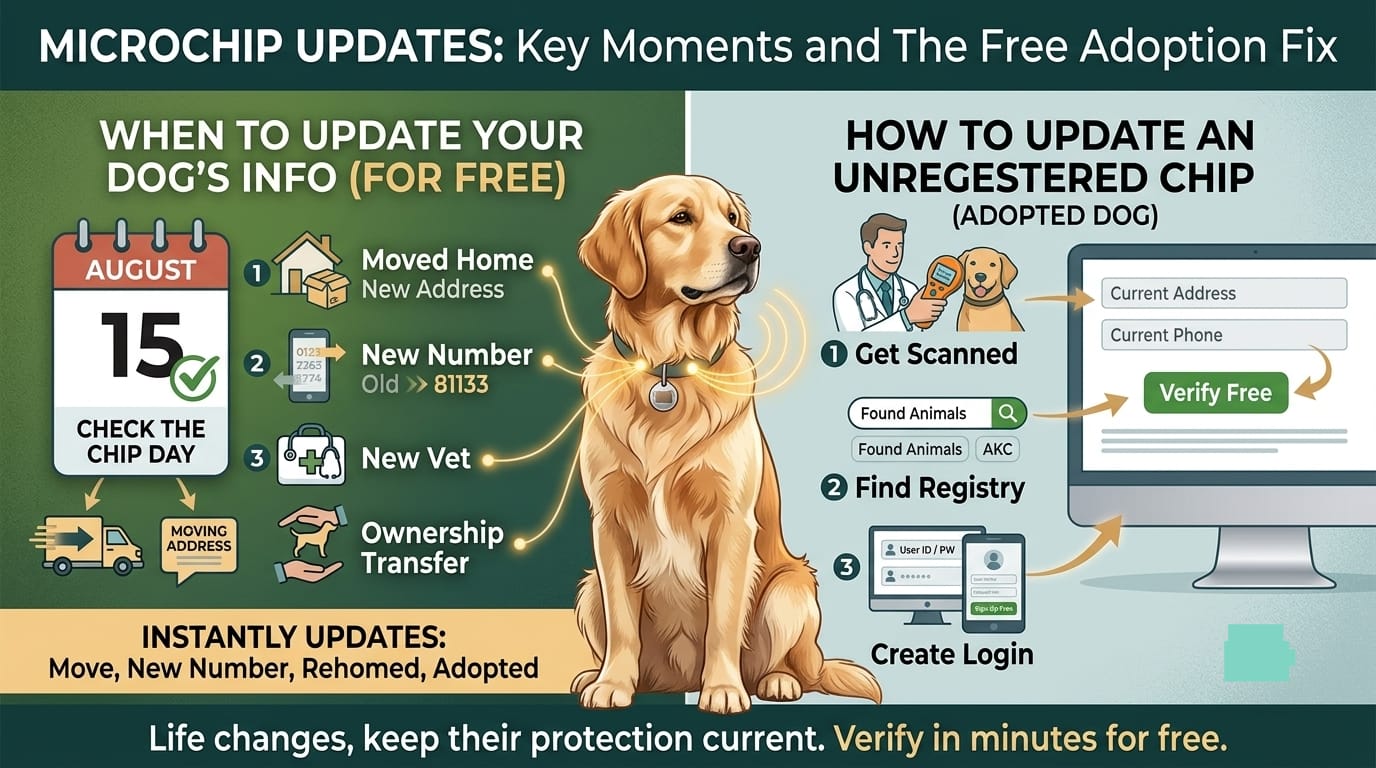
Updating contact information is not a once-and-done task. Life changes, and your dog’s chip should reflect your current reality at all times.
Update immediately if any of the following apply:
- You moved to a new home or apartment
- You changed your phone number
- You changed your email address
- You got a new vet
- You transferred ownership of the dog (rehomed, gifted, sold)
- You adopted a dog that was previously owned or sheltered
- You went through a separation or divorce that changed your contact situation
- Your dog was lost and found (verify everything is current after a scare)
Set a calendar reminder for annual verification
AAHA recommends getting in the habit of checking that your information is up to date before traveling with your pet, as well as before potentially frightening holidays like New Year’s Eve, Halloween, and the Fourth of July. You can also set a calendar reminder for AAHA’s Check the Chip Day each August 15.
A quick annual login to your registry — 5 minutes on your phone — is all it takes to confirm everything is current.
Also read: Dog Lost? Here’s Exactly What to Do in the First 24 Hours — SaveThisLifeNow.com
How to Update a Dog Microchip You Didn’t Register — Adopted or Rehomed Dogs
This is one of the most common situations dog owners face — and one of the most confusing. You adopted a dog, the shelter told you it was chipped, but you were never given login credentials to a registry. What do you do?
Step 1: Get the chip number scanned
Take your dog to any vet, animal shelter, or PetSmart/Petco. Ask them to scan for a microchip and give you the number. This is free or very low cost at most locations.
Step 2: Run the AAHA lookup
Enter the chip number at petmicrochiplookup.org. This will tell you which registry currently holds the record — and usually who the previous registered owner is (the shelter, breeder, or previous owner).
Step 3: Contact the registry directly
Call or email the registry and explain the situation. Tell them you are the new owner and need to either:
- Update the ownership and contact information to your details, or
- Transfer the registration to your account
Most registries have a standard ownership transfer process. Registration or transfer requirements vary by company, but you will generally be asked to provide:
- Proof of adoption (adoption paperwork, bill of sale, or vet records in your name)
- Your contact information
- The chip number
Step 4: If the registry charges a transfer fee
Some registries charge a small transfer fee ($10–$25). If you want to avoid this, you can register with a free parallel registry like 911PetChip or Free Pet Chip Registry instead. Having the chip registered in two databases (the original and a free one you control) increases redundancy with no additional risk.
Step 5: Verify in AAHA
After updating, wait 24–48 hours and then re-run the AAHA lookup on your chip number to confirm your new details appear as the most recent registration.
Related: Dog Microchip Registration Cost: Hidden Fees Explained — SaveThisLifeNow.com
Can Your Vet Update Your Microchip Information?
This is a common misconception that leads to outdated records across the country.
Only the chip registry service can update microchip information — not your vet or other organizations.
Your vet can:
- Scan your dog to retrieve the chip number
- Tell you which registry the chip appears to be from
- In some cases, contact the registry on your behalf if you authorize it
Your vet cannot:
- Log into HomeAgain, AKC Reunite, or PetLink and change your phone number
- Update your address in the database
- Transfer ownership between registries
This means going to the vet for your annual checkup does not automatically update your contact information. You need to log into the registry directly.
Common Mistakes When Updating Dog Microchip Information
Mistake #1: Only updating with one registry when the chip is in multiple
Some dogs — especially those adopted from shelters — are registered in more than one database. If you update HomeAgain but not AKC Reunite, a shelter may find the AKC Reunite record first and reach an old contact. Check AAHA lookup to see all registries holding your chip number, and update each one.
Mistake #2: Using an email address you rarely check
The registry will send all found-pet notifications to your registered email. If that’s an old Yahoo account you check twice a year, you’re building a weak link into your safety system. Use your primary, daily email.
Mistake #3: Not adding a secondary contact
If you’re the only contact and you are unreachable (traveling, hospitalized, in a meeting), no one gets called. Always add at least one backup person who can respond and retrieve your dog on your behalf.
Mistake #4: Forgetting to update after a move
Moving is stressful, and the microchip registry almost never makes the moving checklist. Set a phone alarm: the day you get your new house keys, update your chip. Takes five minutes.
Mistake #5: Assuming the shelter updated it when you adopted
If you’ve adopted a pet from Animal Humane Society that came with a microchip, the microchip is registered with 24PetWatch at the time of adoption — but you still need to update the contact information to your own details through the registry link. Many shelters register in their own name as a holding measure and expect the new owner to transfer it. Verify immediately after adoption.
How to Verify Your Update Worked
After updating your dog microchip contact information for free, always verify the change actually took effect in the live database. Do not assume the save button worked.
Verification method:
- Wait 24–48 hours after saving your update
- Go to petmicrochiplookup.org
- Enter your dog’s chip number
- Confirm the registry that appears is the one you updated
- Contact the registry directly to confirm your new details are visible to searchers
After updating, have your dog scanned at a local veterinarian or shelter to confirm the chip ID resolves to the updated registry record. Many vets will do a quick scan for free or as part of a routine visit, and will confirm the lookup works correctly.
Verify your chip: Free Microchip Lookup Tool — SaveThisLifeNow.com
Frequently Asked Questions About Updating Dog Microchip Contact Information
Is it really free to update my contact information?
For most reputable, AAHA-participating registries in the U.S., yes. It is typically free or a nominal one-time fee to enroll your pet with a microchip company, and free to update microchip details like your contact information whenever you like for the lifetime of your pet. Annual fees only apply if you choose premium add-on services, which are optional.
Can I update my dog’s microchip without my dog being present?
Yes. In many cases, you can update contact information by providing ownership documents or a written consent form — your dog does not need to be physically present for a database update. The chip itself is not changed; only the linked database record is updated.
What if I don’t know which company made my dog’s chip?
Take your dog to any vet, shelter, or Petco/PetSmart for a free scan. Once you have the chip number, run it through the AAHA Universal Pet Microchip Lookup at petmicrochiplookup.org to find the registry.
Does updating the contact information change the chip number?
No. The microchip number is permanently encoded in the hardware at manufacturing and never changes. You are only updating the database record that number points to.
I registered with a free registry that isn’t in AAHA lookup — is my dog protected?
Partially. Your dog’s chip may be found if a shelter happens to search that specific database. But if the registry does not participate in AAHA lookup, most U.S. shelters will not find your record during a standard scan process. Register with an AAHA-participating registry for full protection.
How often should I check my dog’s microchip record?
At minimum once per year, and any time you have a contact change. Setting a reminder on August 15 — AAHA’s annual Check the Chip Day — is a simple habit that costs nothing and could save everything.
Learn the full basics: How Does a Pet Microchip Work? — SaveThisLifeNow.com
The Bigger Picture: Registration Is Only the Beginning
Updating your dog microchip contact information for free is one piece of a broader pet safety system. A chip alone — even a perfectly registered one — cannot do everything.
Here’s the complete protection stack every dog owner should maintain:
Layer 1: Microchip (permanent ID)
Registered, updated, and verified in AAHA-participating database. This guide has covered exactly how to do this for free.
Layer 2: Collar + ID Tag (visible ID)
Your dog’s collar should always carry a tag with your current mobile number. Collars and tags are the fastest way for a well-meaning stranger to return your dog before a shelter is ever involved.
Layer 3: Current Photo on File
Keep a recent, clear photo of your dog’s face and any distinguishing markings saved on your phone. You need this for “lost pet” posts, flyers, and shelter reports.
Layer 4: Local Shelter Registration
Many counties and municipalities allow you to register your dog locally with animal control. If your dog ends up in local impound, your name may already be in the system.
Layer 5: GPS Tracker (optional, active tracking)
GPS collar devices like Fi or Tile for Pets provide real-time location tracking. Unlike a microchip, these require battery life and a subscription, but they tell you where your dog is, not just who owns them.
The microchip is the safety net that catches everything else. But it only works when the contact information behind it is current, accurate, and reachable.
Full guide: Complete Pet Microchipping Cost and Safety Guide — SaveThisLifeNow.com
Final Action Checklist: Do This Today
Stop reading and do this right now — it takes 10 minutes:
Step 1: Find your dog’s chip number (check paperwork, call your vet, or get a free scan)
Step 2: Go to petmicrochiplookup.org and enter the chip number — confirm which registry holds your record
Step 3: Log into that registry (or create an account if you’re locked out)
Step 4: Update your phone number, email, home address, and emergency contact
Step 5: Upload a current photo of your dog
Step 6: Add your vet’s name and phone number
Step 7: Save, wait 24 hours, and verify the update by running the AAHA lookup again
Step 8: Set an annual calendar reminder for August 15 — AAHA’s Check the Chip Day — to review your info every year
That’s it. Eight steps, zero dollars, and your dog’s best ticket home is now fully activated.
Quick shortcut: Use our Free Microchip Lookup Tool at SaveThisLifeNow.com to check your dog’s current registration status before you update.
Internal Links Summary (SaveThisLifeNow.com)
| Anchor Text | Target URL |
|---|---|
| Free Pet Microchip Lookup Tool | /microchip-lookup |
| What to Do Immediately When Your Dog Goes Missing | /lost-dog-action-plan |
| Best Pet Microchip Registries for Dogs | /best-pet-microchip-registries |
| Dog Microchip Registration Cost: Hidden Fees Explained | /dog-microchip-registration-cost |
| How Does a Pet Microchip Work? | /how-pet-microchip-works |
| Complete Pet Microchipping Cost and Safety Guide | /pet-microchipping-cost-guide |
